

More is coming for staff#
The Staff role is still being built. This guide shows what a staff member sees in Juwazi today. We’ll update it with full steps once the role’s features are ready.
The Staff role is for team members who support the school’s exams but aren’t administrators, teachers or supervisors. Exactly what staff can do will be described here when it’s finished.
What you see as a staff member today#
Your administrator invites you as Staff (Super Admin Guide 10). You get an email with a temporary password and sign in at app.juwazi.com/login.
In this guide we’re Peter Nnamdi, a staff member with no subjects or classes assigned yet.
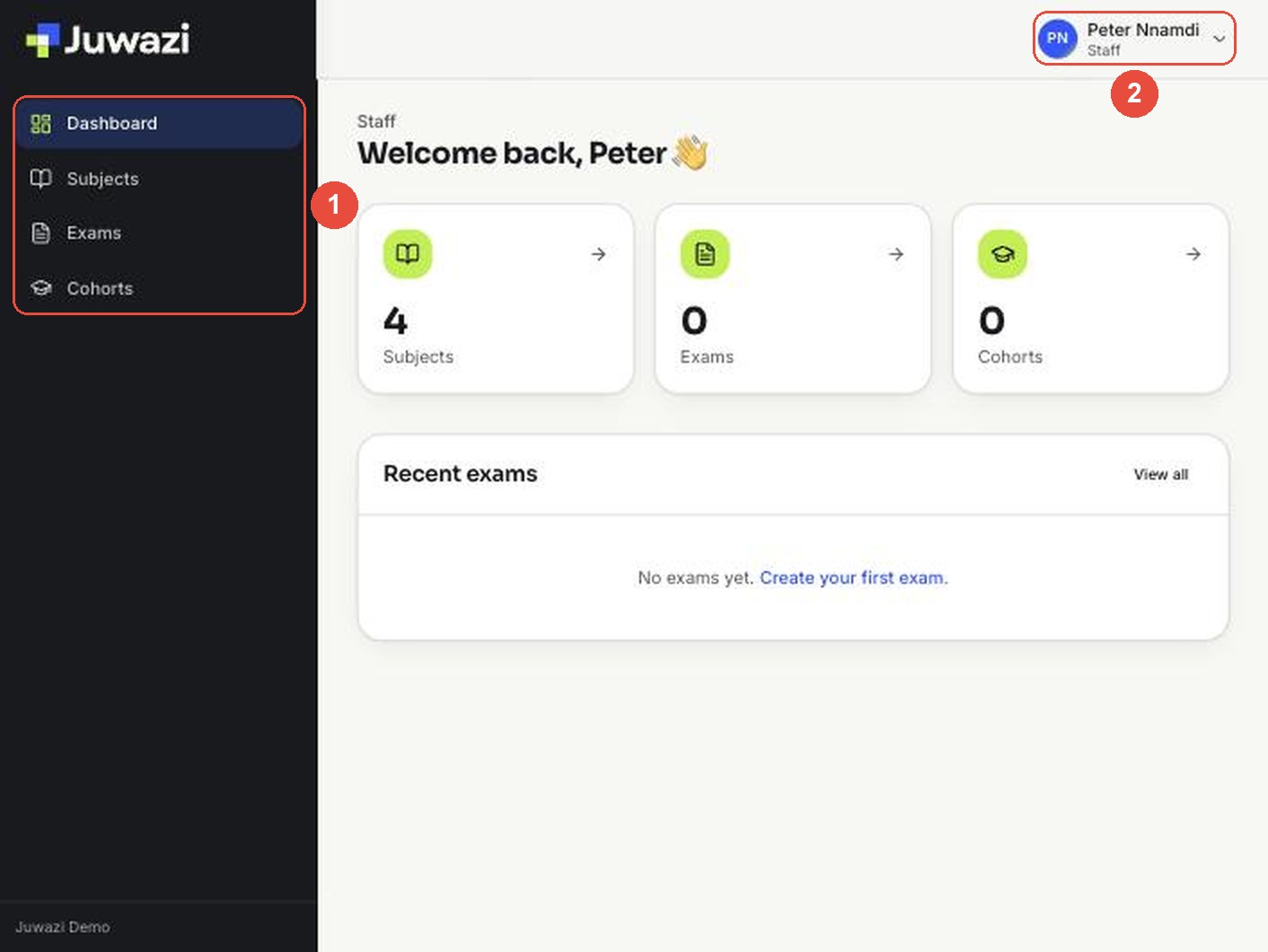
- Your menu: Dashboard, Subjects, Exams and Cohorts.
- Your name and the label Staff at the top right.
Subjects#
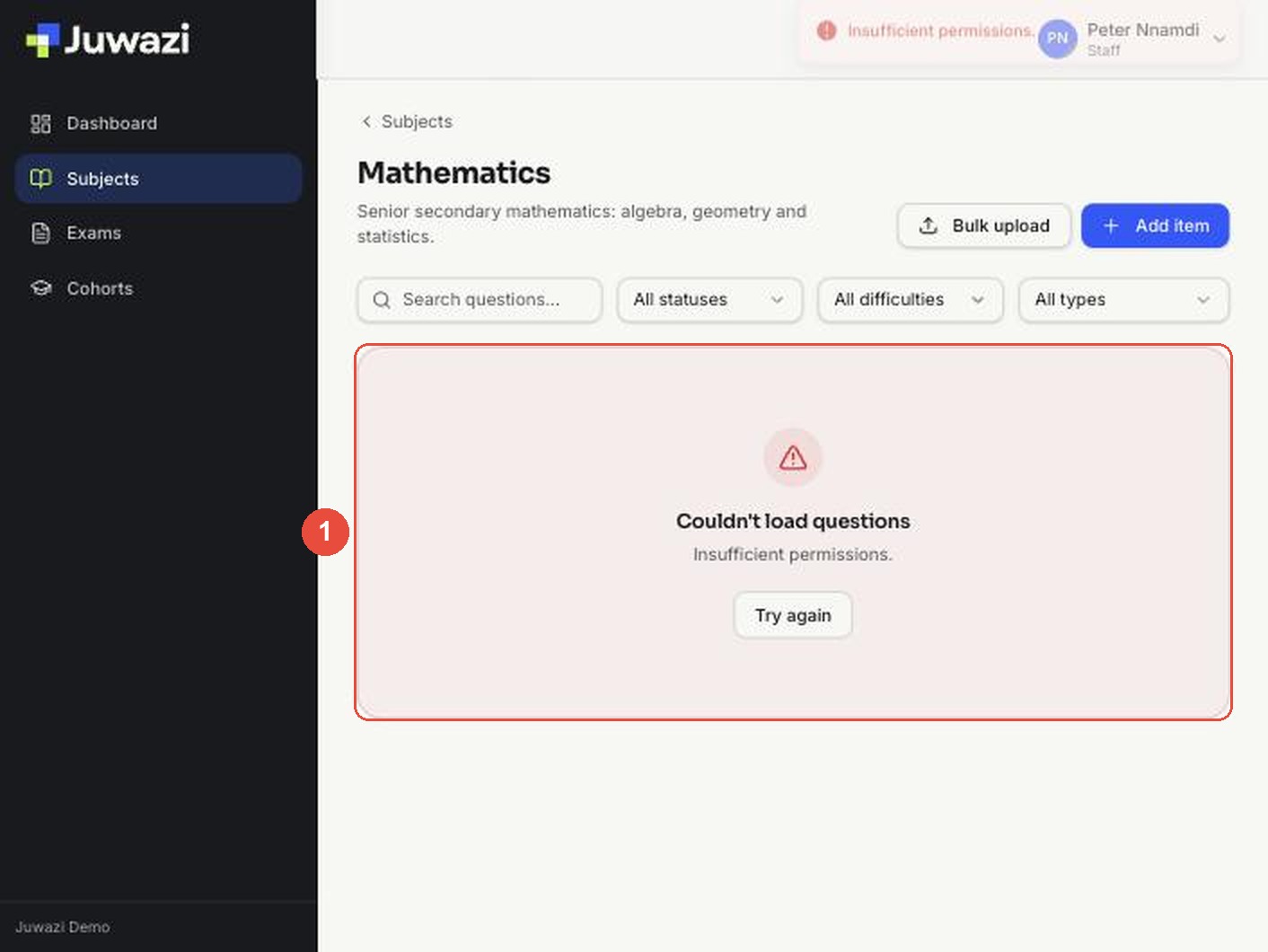
The Subjects page may list subjects, but opening one shows Couldn’t load questions – Insufficient permissions (1). The Bulk upload and Add item buttons on that page don’t work for staff yet.
Cohorts and Exams#
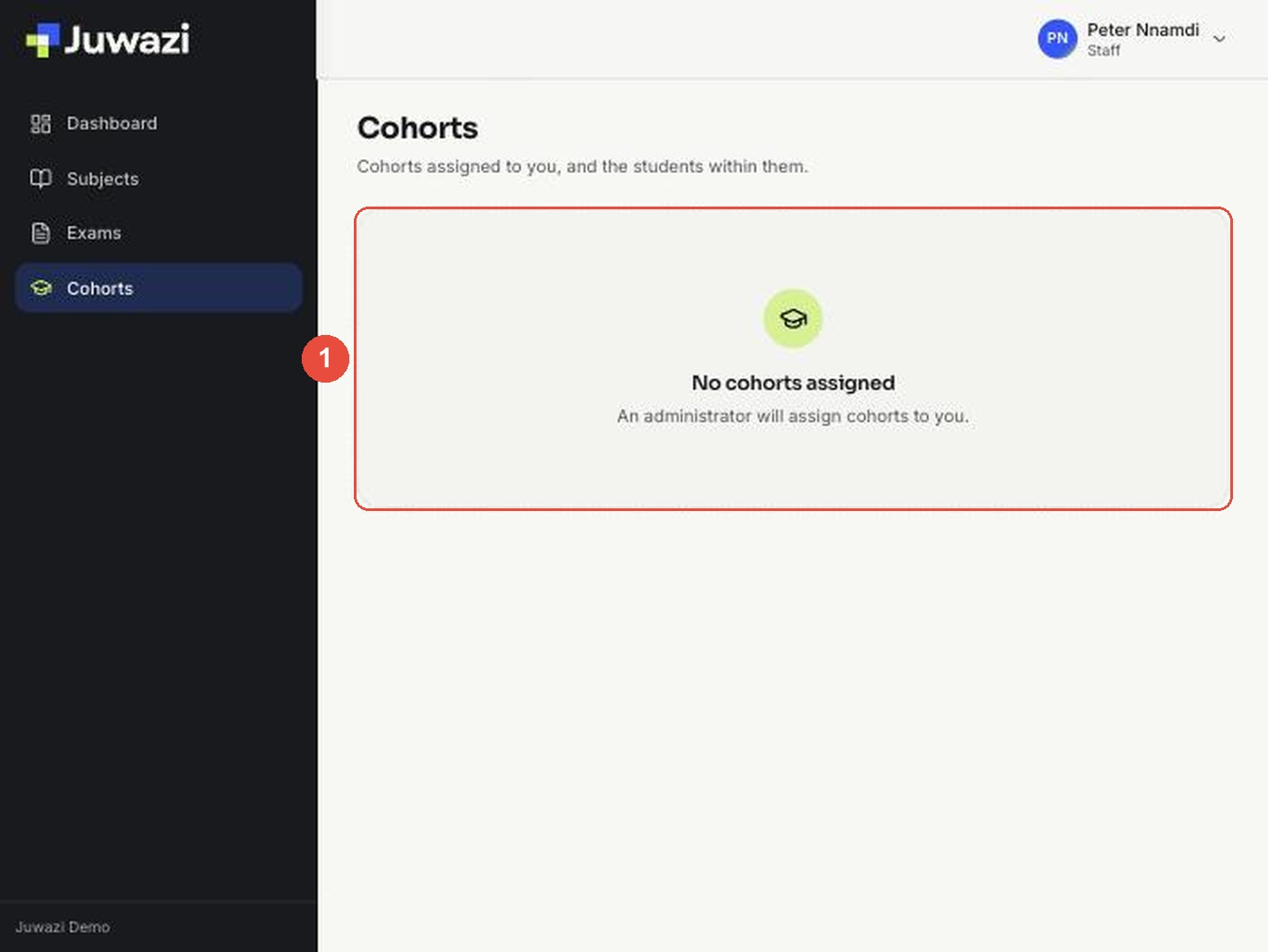
Until an administrator assigns you to a class, the Cohorts page says No cohorts assigned (1). The Exams page is empty.
Current limitations and what to do meanwhile#
| What you’ll notice | What it means |
|---|---|
| “Insufficient permissions” when opening a subject | Staff access to questions isn’t switched on yet |
| Buttons such as Add item or New exam that don’t work | These are shared with other roles. Ignore them for now |
| No classes listed | An administrator hasn’t assigned you to one |
Until the Staff role is finished, ask your administrator for anything you need in Juwazi. You don’t need to report these messages; they’re expected.
This guide will be updated with full steps and screenshots once the Staff role is ready.